
エンタープライズボット管理
ボット管理を利用するエンタープライズ顧客は、ボット分析を使用してボットトラフィックを動的に調査できます。
ボット分析を使用するには、Cloudflareダッシュボードを開き、セキュリティ > ボットを選択します。
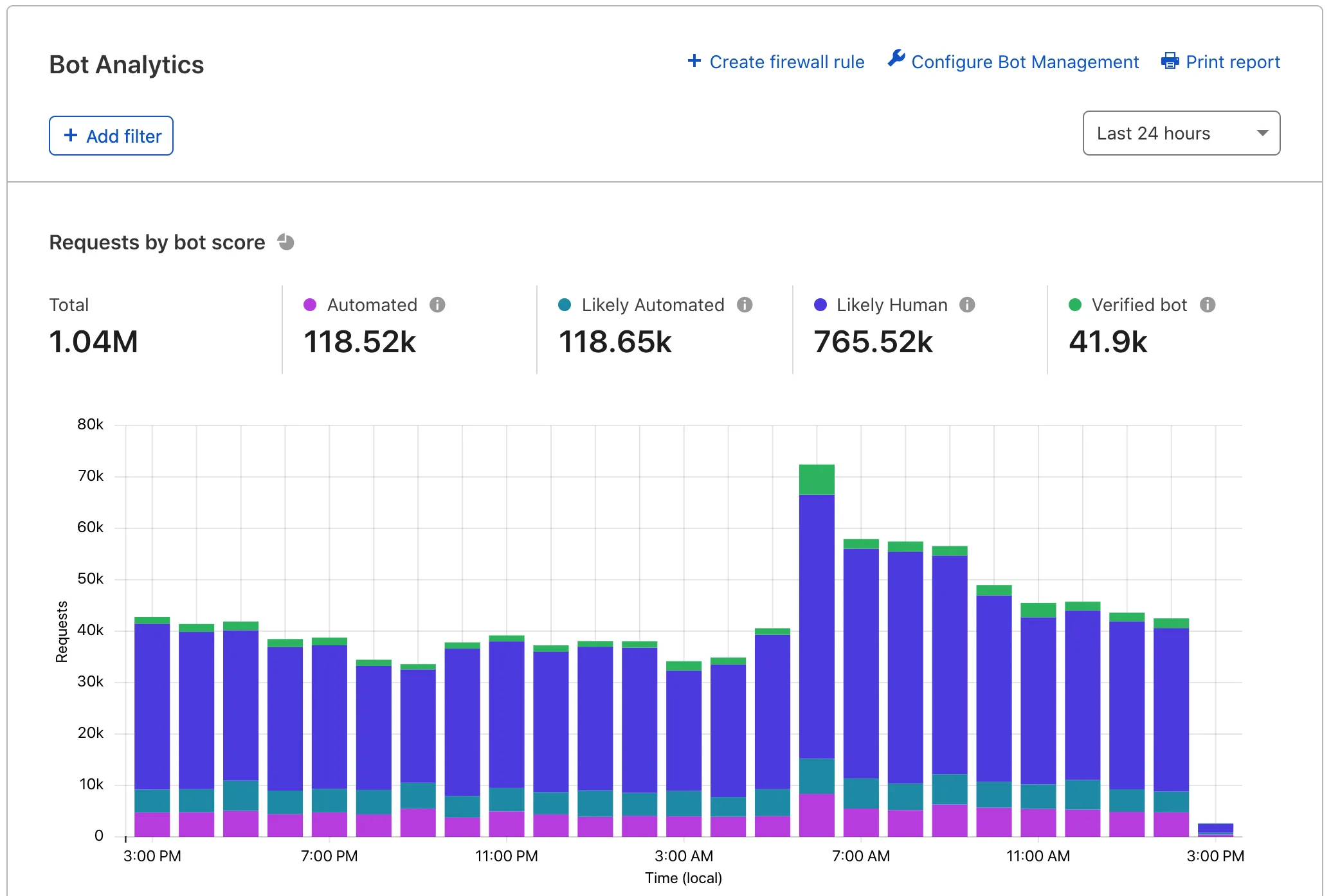
For a full tour of Bot Analytics, see our blog post ↗. At a high level, the tool includes:
- Requests by bot score: View your total domain traffic and segment it vertically by traffic type. Keep an eye on automated and likely automated traffic.
- Bot score distribution: View the number of requests assigned a bot score 1 through 99.
- Bot score source: Identify the most common detection engines used to score your traffic. Hover over a tooltip to learn more about each engine.
- Top requests by attribute: View more detailed information on specific IP addresses and other characteristics.
Bot Analytics shows up to one week of data at a time and can display data up to 30 days old. Bot Analytics displays data in real time in most cases.
Cloudflare uses adaptive bitrate technology to show sampled data — most customers will see a 1-10% sample depending on how much information they are trying to view. Tooltips on the page will display the current sample rate.
ボット管理の顧客は、ボット分析を使用して以下を行うことができます:
- オンボーディングフェーズ中のトラフィックを理解する。
- WAFカスタムルールを効果的でありながら過度に攻撃的でないように調整する。
- 最近の攻撃を研究してトレンドや詳細情報を見つける。
- 実データを使用してCloudflareの検出エンジンについてもっと学ぶ。
ボット分析からのデータは、GraphQL APIを介しても利用可能です。ボットスコア、ボットソース、、およびボットの_決定_(自動、_自動の可能性が高い_など)などにアクセスできます。
GraphQLおよび基本的なクエリについての詳細は、GraphQL Analytics APIドキュメントをお読みください。