
メール
Email based validation will send an approval email to the contacts listed for a given domain in WHOIS, along with the following addresses: admin@, administrator@, hostmaster@, postmaster@, and webmaster@.
Once you create a new hostname and choose this validation method, you will see the following values after a few seconds:
- API:
sslオブジェクト内で、validation_records配列に存在する値(特にemails)を参照してください。 - ダッシュボード: SSL/TLS > カスタムホスト名で個々の証明書を表示する際は、証明書検証メール受信者の値を参照してください。
The addresses listed in this field will receive an email from support@certvalidate.cloudflare.com. They should either select Review Certificate Request or the https://certvalidate.cloudflare.com hyperlink.
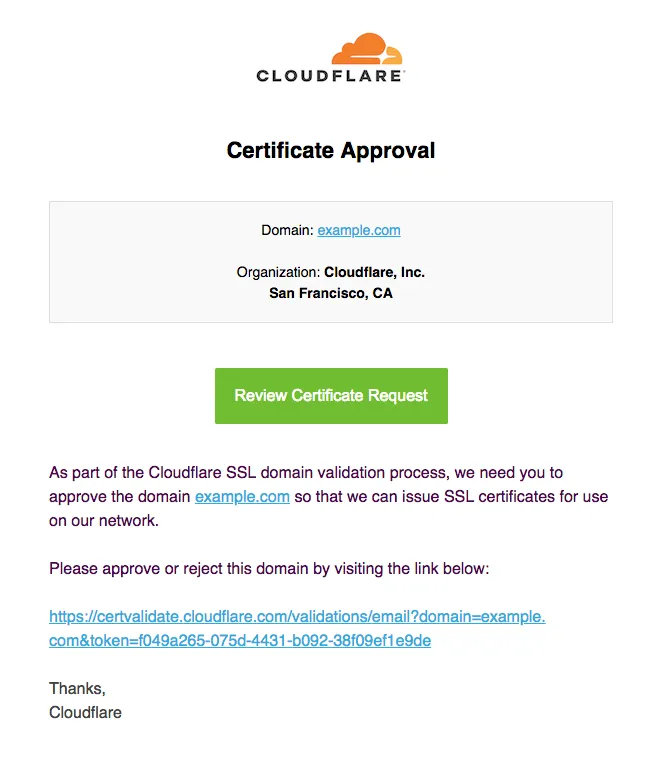
As soon as the domain owner has followed the link in this email and selected Approve on the validation page, the certificate will move through the various statuses until it becomes Active.
If you would like to request an immediate recheck, rather than wait for the next retry, send a PATCH request with the same values as your initial POST request.