
Cloudflareアカウントを接続する
既存のEmail Security(旧Area 1)ユーザーは、新しいZero Trust Email Security製品にアクセスするためにCloudflareアカウントを接続する必要があります。
Cloudflareアカウントは、CloudflareダッシュボードまたはEmail Security(旧Area 1)ログインページから接続できます。
ダッシュボードからCloudflareアカウントを接続するには:
-
Cloudflareダッシュボード ↗にログインします。
-
サイドバーでEmail Securityを選択します。
-
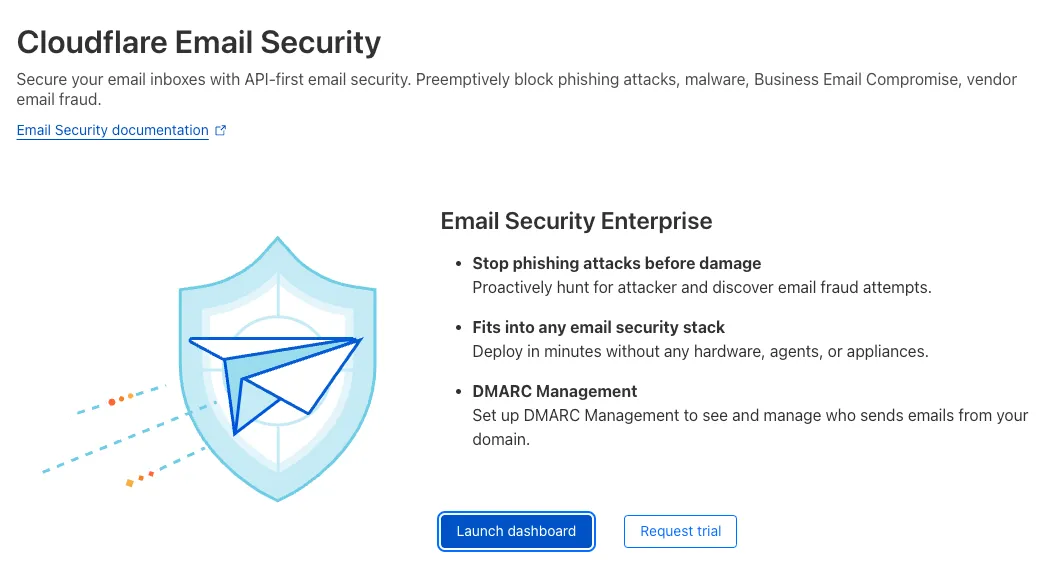
Launch dashboardを選択します。
-
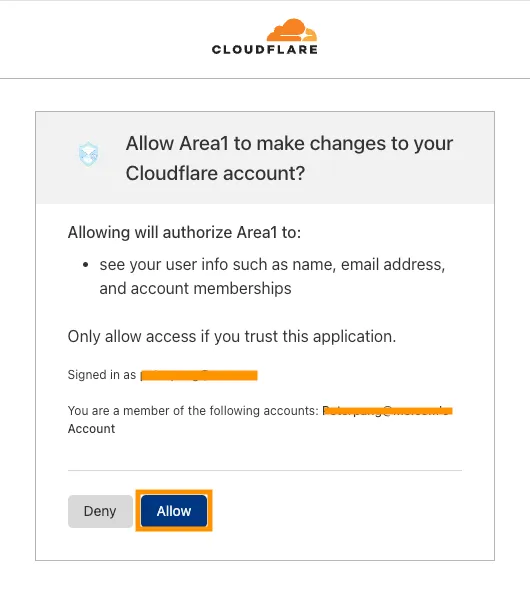
Allowを選択して、Email SecurityがCloudflareアカウントに変更を加えることを許可します。
-
Allowを選択した後、Email Securityにログインします。
-
ここから、Cloudflareのシングルサインオン ↗を使用してログインするか、Launch dashboardボタンを使用してログインできます。
-
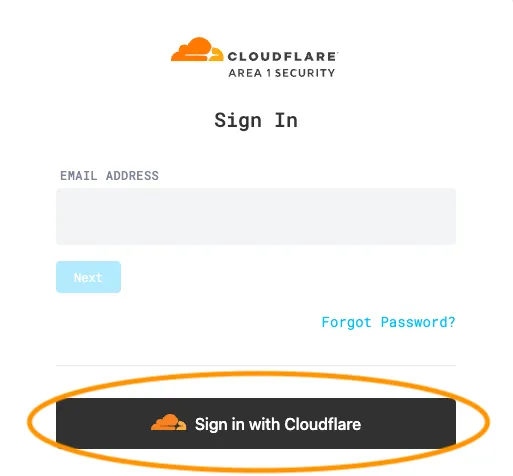
サインインページ ↗で、Sign in with Cloudflareを選択します。
-
Cloudflareの認証情報を使用してログインします。
-
Allowを選択して、Email SecurityがCloudflareアカウントに変更を加えることを許可します。
-
Allowを選択した後、自動的にログインされます。
-
これで、Cloudflareのシングルサインオン ↗を使用してログインできます。