
ローカルDNSリゾルバーの更新
Gatewayロケーションが作成されると、環境にトラフィックを送信する能力が得られます。ブラウザやネットワーク設定でDNSリゾルバーを変更することで、リスクなしにテストできます。
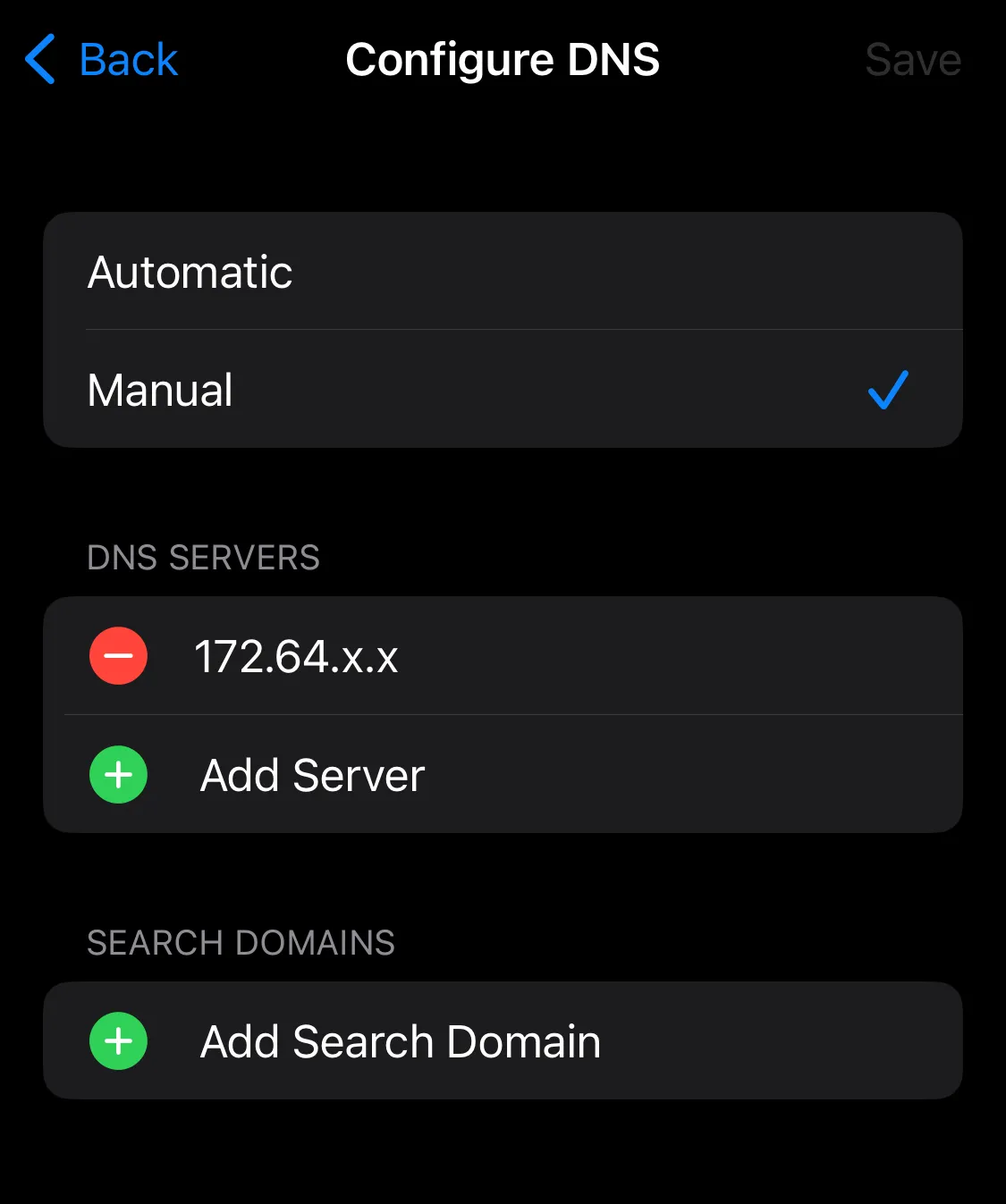
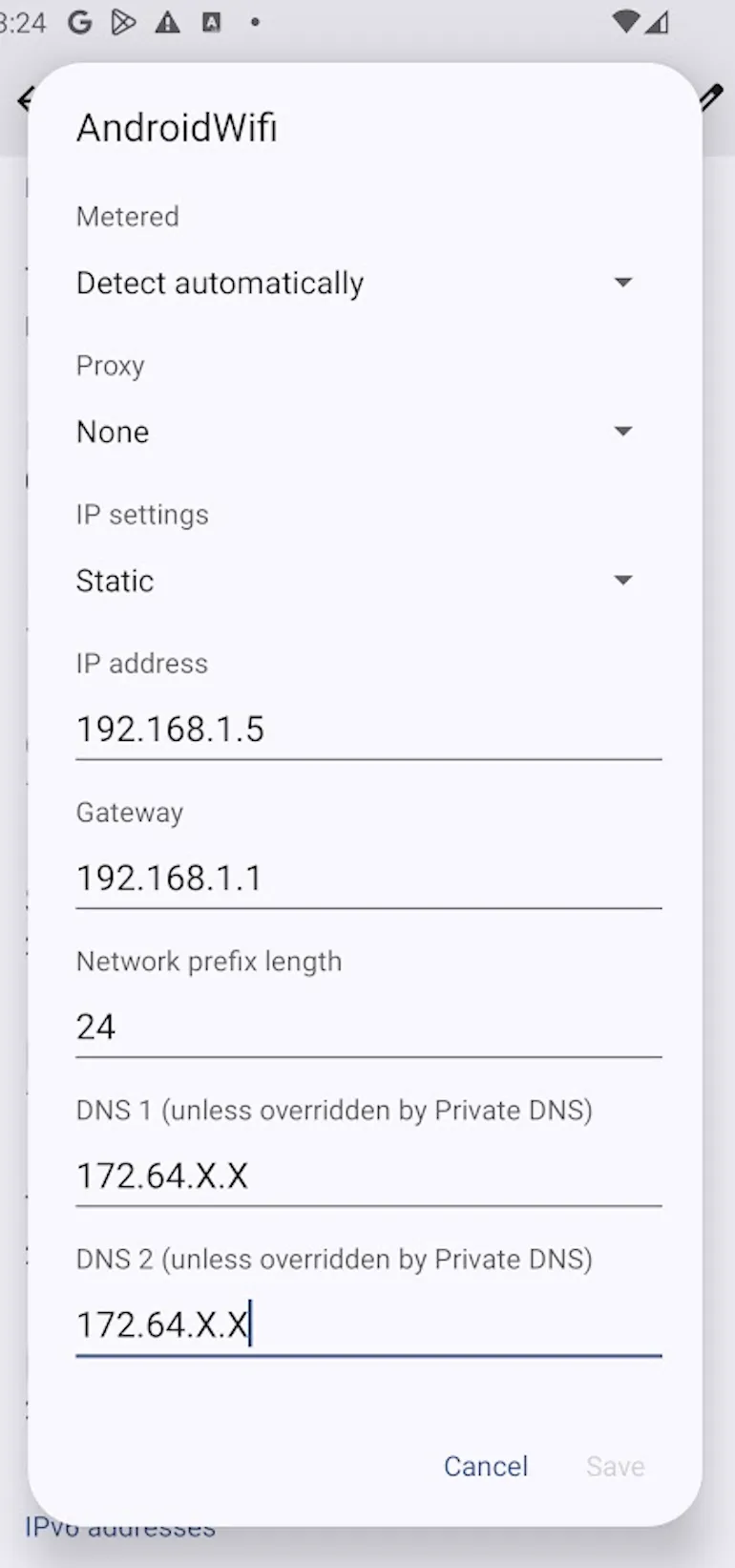
デバイスをGatewayにトラフィックを送信するように設定するには:
macOS
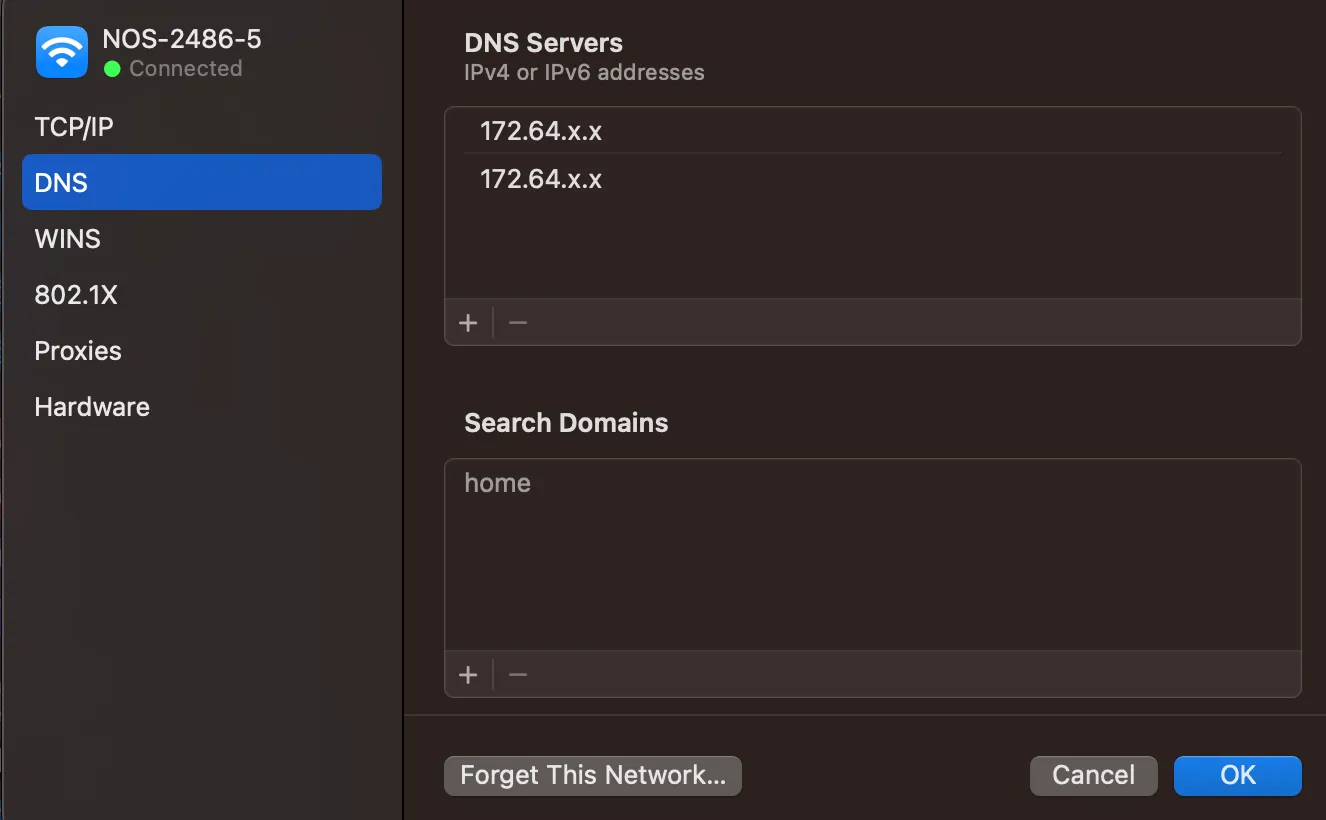
Windows

Linux
cat /etc/resolv.confnameserver 172.64.X.Xnameserver 172.64.X.XiPhone
Android
ブラウザをGatewayにトラフィックを送信するように設定するには:
-
DNS over HTTPS (DoH) アドレスを取得します:
- Gateway > DNS Locations に移動します。
- デフォルトのロケーションを選択します。
- DNS over HTTPS ホスト名をコピーします:
https://<YOUR_DOH_SUBDOMAIN>.cloudflare-gateway.com/dns-query
-
ブラウザの設定手順に従います:
Mozilla Firefox
- In Firefox, go to Settings.
- In Privacy & Security, go to DNS over HTTPS.
- Under Enable secure DNS using, select Max Protection.
- In Choose provider, choose Custom.
- In the field, enter
https://<YOUR_DOH_SUBDOMAIN>.cloudflare-gateway.com/dns-query.
Firefox is now configured to use your DoH endpoint. For more information on configuring DoH settings in Firefox, refer to Mozilla’s documentation ↗.
Google Chrome
- In Chrome, go to Settings > Privacy and security > Security.
- Scroll down and turn on Use secure DNS.
- Select With Custom.
- In the Enter custom provider field, enter
https://<YOUR_DOH_SUBDOMAIN>.cloudflare-gateway.com/dns-query.
Read more about enabling DNS over HTTPS ↗ on Chrome.
Microsoft Edge
- In Microsoft Edge, go to Settings.
- Select Privacy, Search, and Services, and scroll down to Security.
- Turn on Use secure DNS.
- Select Choose a service provider.
- In the Enter custom provider field, enter
https://<YOUR_DOH_SUBDOMAIN>.cloudflare-gateway.com/dns-query.
Brave
- In Brave, go to Settings > Security and Privacy > Security.
- Turn on Use secure DNS.
- Select With Custom.
- In the Enter custom provider field, enter
https://<YOUR_DOH_SUBDOMAIN>.cloudflare-gateway.com/dns-query.
Safari
Currently, Safari does not support DNS over HTTPS.
-
サードパーティのファイアウォールやTLS復号化ソフトウェアがDoHエンドポイントへのトラフィックを検査またはブロックしないことを確認します:
https://<YOUR_DOH_SUBDOMAIN>.cloudflare-gateway.com/dns-query.
ルーターやOSを設定するか、追加のDNSエンドポイントを追加するには、DNS locationsを参照してください。