
セッションタイムアウト
ほとんどのレガシーVPNには、エンドユーザーがX時間ごとにログインする必要があるグローバルタイムアウト設定があり、特定の頻度でVPNプロファイルをリセットします。継続的なアイデンティティ評価を行うことで、ゼロトラストセキュリティモデルは、セッションタイムアウトによって引き起こされるユーザーの中断を伴うワークフローのほとんどを排除します。しかし、ユーザーに再認証を求める正当な理由がある場合もあります。これは、定期的に行う場合や、特定の非常に機密性の高いまたは規制された内部サービスにアクセスする場合です。
WARPクライアントの再認証を強制するには、GatewayネットワークポリシーでアプリケーションごとにWARPセッションタイムアウトを設定できます。
When a user goes to a protected application or website, Cloudflare checks their WARP session duration against the configured session timeout. If the session has expired, the user will be prompted to re-authenticate with the identity provider (IdP) used to enroll in the WARP client.
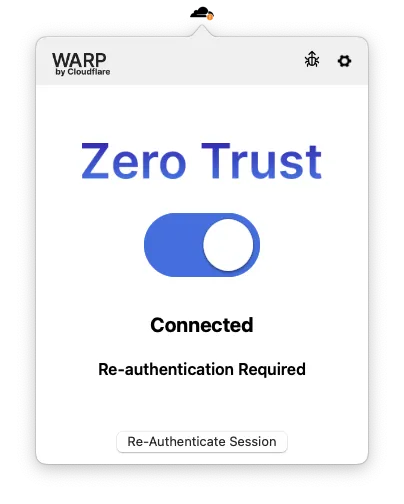
A user’s WARP session duration resets to zero whenever they re-authenticate with the IdP, regardless of what triggered the authentication event.
You can enforce WARP session timeouts on any Gateway Network and HTTP policy that has an Allow action. If you do not specify a session timeout, the WARP session will be unlimited by default.
Session timeouts have no impact on Gateway DNS policies. DNS policies remain active even when a user needs to re-authenticate.
To configure a session timeout for a Gateway policy:
- In Zero Trust ↗, go to either Gateway > Firewall Policies. Choose either Network or HTTP.
- Add a policy and select the Allow action. Alternatively, choose any existing Allow policy.
- Under Step 4 - Configure policy settings, select Edit next to Enforce WARP client session duration.
- Enter a session expiration time in
1h30m0sformat and save. - Save the policy.
Session checks are now enabled for the application protected by this policy. Users can continue to reach applications outside of the policy definition.
従来のVPNのグローバルタイムアウトに似たグローバル再認証イベントを設定するには、すべてのGatewayネットワーク許可ポリシーを同じベースラインWARPセッション期間(通常は3〜7日)に設定することをお勧めします。これにより、ユーザーがその期間内にプライベートネットワーク上のアプリケーションにアクセスしようとすると、選択した日数ログインしていない場合は、アイデンティティプロバイダーで再認証を強制されます。
特定のアプリケーションがより厳格な再認証タイムラインを必要とする場合、そのアプリケーションにアクセスするユーザーは、すでにベースラインポリシーに準拠しているため、ベースライン再認証イベントを完了する必要はありません。
グローバルWARPセッション期間を設定する際の一般的な間違いは、プライベートネットワーク全体をカバーする単一のポリシーを構築することです。例としては、10.0.0.0/8の宛先IPへのトラフィックを持つすべてのユーザーに対して7日ごとに再認証を要求する許可ポリシーがあります。この種のグローバルポリシーは、セッションが期限切れになるとユーザーが内部ネットワーク全体(プライベートDNS機能を含む)からブロックされるため、最適でないユーザーエクスペリエンスをもたらす可能性があります。ユーザーが一度きりの再認証通知を見逃すと、再認証のためにWARPクライアント設定に手動で入る必要があることに気付かないかもしれません。