
メール
Email based validation will send an approval email to the contacts listed for a given domain in WHOIS, along with the following addresses: admin@, administrator@, hostmaster@, postmaster@, and webmaster@.
選択した証明書発行機関に基づいて、高度な証明書に対してメール検証を使用できない場合があります。
If you want to use a Universal SSL certificate, you will need to edit the validation_method via the API and specify your chosen validation method.
Alternatively, you could order an advanced certificate via the dashboard or the API.
選択した検証方法を指定すると、検証値にアクセスできます:
- Going to SSL/TLS > Edge Certificates in the dashboard and selecting a certificate.
- Getting certificate details by making a
GETrequest withstatus=pending_validationin the request parameter and finding thevalidation_methodandvalidation_records.
証明書を見つけたら、次の値を探してください:
- API:
emails - ダッシュボード: 証明書検証メール受信者。
The addresses listed in this field will receive an email from support@certvalidate.cloudflare.com. They should either select Review Certificate Request or the https://certvalidate.cloudflare.com hyperlink.
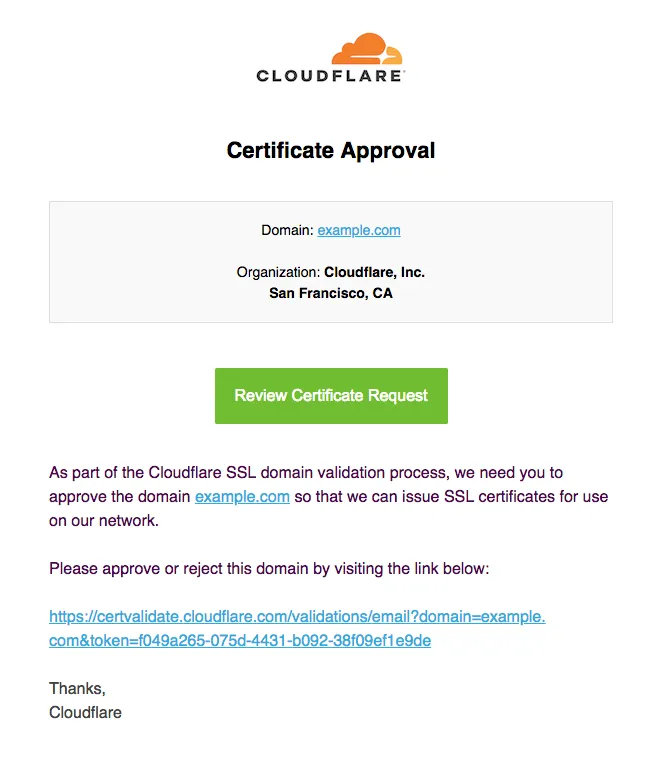
As soon as the domain owner has followed the link in this email and selected Approve on the validation page, the certificate will move through the various statuses until it becomes Active.
Even if you manually handle DCV when issuing certificates in a partial DNS setup, at certificate renewal, Cloudflare will attempt to automatically perform DCV via HTTP.
If all of the following conditions are confirmed at the first attempt, the renewal happens automatically via HTTP.
- Hostnames are proxied.
- Hostnames on the certificate resolve to the IPs assigned to the zone.
- The certificate does not contain wildcards.
いずれかの条件が満たされない場合、証明書の更新は選択した方法に戻り、DCVプロセスを手動で繰り返す必要があります。