
バージョンの管理
A version is a collection of configurations related to your zone, such as WAF custom rules and other optimization configurations.
Once you enable Version Management, Cloudflare will automatically create:
- Version Zero, think about this as the configuration of your current zone. Once default environments are created, Version Zero is automatically deployed to them, guaranteeing no disruption in your live traffic. This Version is also permanently editable. In case you decide to disable Zone Versioning, Version Zero will become your zone again.
- Global Configuration, you can find all the configurations here that are not supported by Version Management.
On the Environments page, you can create default environments for Production, Staging, and Development.
同時に異なる構成の実装や複数のタイプの変更をテストする必要がある場合は、ゾーンの新しいバージョンを作成します。
新しいバージョンを作成するには:
- Cloudflare ダッシュボード ↗にログインします。
- アカウントとゾーンを選択します。
- バージョン管理に移動します。
- 既存のバージョンで、クローンを選択します。これにより、そのバージョンからすべての構成がコピーされます。
- 必要に応じて、説明を編集してこのバージョンの目的についての詳細を提供できます。
ゾーンの構成は、グローバル構成と異なるバージョンの2つのエリアに分かれています。
- グローバル構成は、バージョン管理ができないゾーンの構成を制御し、変更されると自動的にゾーンのすべてのバージョンに適用されます。
- バージョン構成は、バージョン管理が可能なゾーンの構成を更新し、以下のようになります:
- 読み取り専用環境に適用されていない場合は編集可能です。
- 環境に関連付けられた場合に適用されます。
Before making changes, make sure you are inside the correct version of your zone.
To change between different versions of your zone:
- Log in to the Cloudflare dashboard ↗.
- Select your account and a domain that has version management. The Global Configuration of your domain will load.
- Go to the product or feature you wish to modify.
- If the product or feature is available for versioning: The last version you were working on will load.
- If the product or feature is NOT available for versioning: Your Global Configuration will load, and any changes you make will impact live traffic.
- Ensure that the configuration or version displayed in the domain summary bar is the one you would like to work on. If not, select the version in the domain summary bar to open the version switcher.
The Domain Summary is accessible from all pages and allows you to quickly switch between versions and domains.
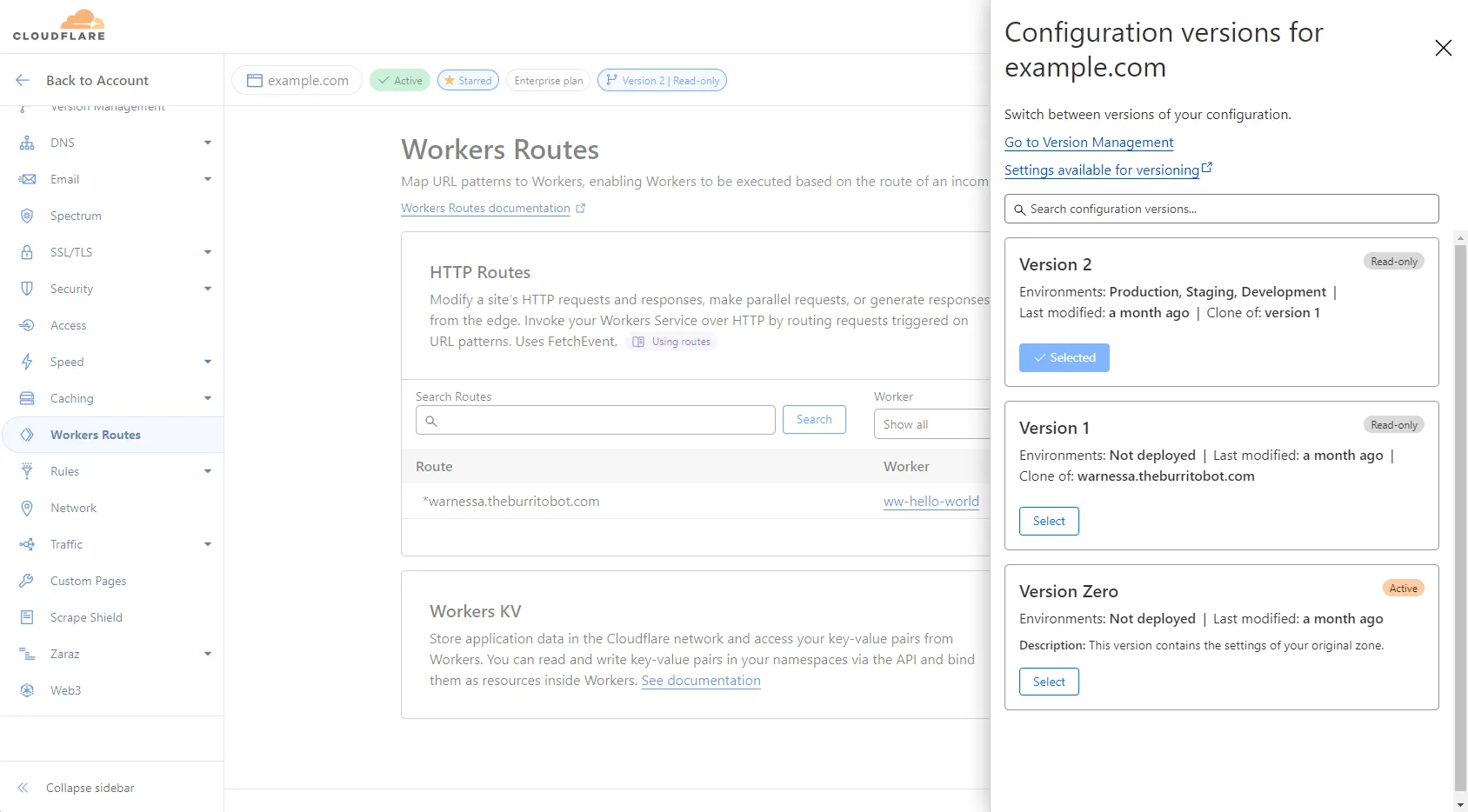
From within a version, you can update configurations just as you would with your normal zone configurations. Any changes are saved automatically.
Production is a read-only environment by default. This means that any version associated with Production also becomes read-only. This configuration prevents another member of your account from accidentally editing the version associated with your live traffic. You can change this configuration by editing the environment.
読み取り専用環境に関連付けられたバージョンの構成を変更するには、次のいずれかを行います:
- 環境のバージョンを変更して別のバージョンにし、その後バージョンを変更します。
- 環境の構成を編集して読み取り専用環境の構成を削除します。その後、新しいバージョンをこの環境に昇格させます。
バージョンが適用された環境にトラフィックを送信し始めると、そのトラフィックに関するメトリクスも表示できます。
メトリクスを表示するには:
- Cloudflare ダッシュボード ↗にログインし、アカウントとドメインを選択します。
- バージョン管理に移動します。
- 既存のバージョンで、メトリクスを表示を選択します。