
ダッシュボードでの作成
-
Cloudflareダッシュボード ↗にログインし、アカウントとドメインを選択します。
-
セキュリティ > WAF > カスタムルールに移動します。
-
新しい空のルールを作成するには、ルールを作成を選択します。既存のルールを複製するには、その隣の三点リーダーを選択し、複製を選択します。
-
ルール名にルールの説明的な名前を入力します。
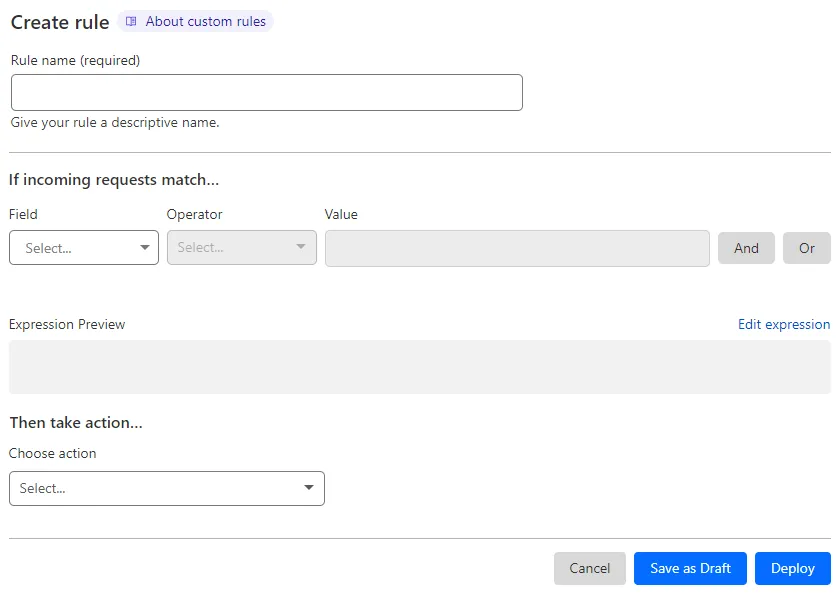
-
受信リクエストが一致する場合の下で、フィールドドロップダウンリストを使用してHTTPプロパティを選択します。各リクエストについて、フィールドに選択したプロパティの値が、値に指定した値と演算子で選択した演算子を使用して比較されます。
-
次にアクションを取るの下で、アクションを選択ドロップダウンからルールアクションを選択します。たとえば、_ブロック_を選択すると、Cloudflareは指定した条件に一致するリクエストを拒否します。
-
(オプション) _ブロック_アクションを選択した場合、カスタムレスポンスを設定することができます。
-
ルールを保存して展開するには、展開を選択します。ルールを展開する準備ができていない場合は、下書きとして保存を選択します。
When you select the Block action in a rule you can optionally define a custom response.
The custom response has three settings:
-
With response type: Choose a content type or the default WAF block response from the list. The available custom response types are the following:
Dashboard value API value Custom HTML "text/html"Custom Text "text/plain"Custom JSON "application/json"Custom XML "text/xml" -
With response code: Choose an HTTP status code for the response, in the range 400-499. The default response code is 403.
-
Response body: The body of the response. Configure a valid body according to the response type you selected. The maximum field size is 2 KB.